


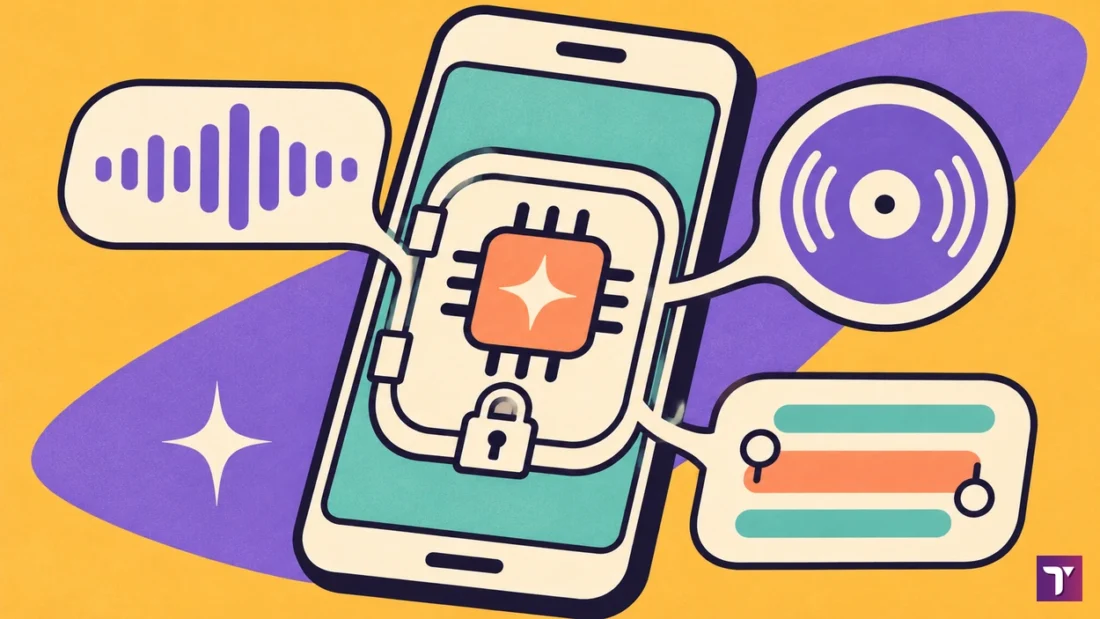
Google LLC’s Play listing counts 5 billion or more downloads of Android System Intelligence. Google’s Pixel Help calls it a system component within Private Compute Core that powers intelligent features across Android while keeping your data private. So what is Android System Intelligence doing on your phone? It runs Live Caption, Now Playing and smart text features.
Services like Android System Intelligence are machine learning features that don’t have direct network access, and Google’s Security Blog describes the same isolation. By Google’s own documentation, that design is why it is not spyware. You can limit or clear what it learns, and switching it off costs you those features. According to APKMirror, the three builds compared below run from 31.86 MB with 18 permissions (B.31 oemminimal) to 105.32 MB with 81 permissions (C.9 pixel10).
Key Takeaways
- Google LLC’s Play listing shows 5 billion or more downloads and a 4.2-star rating from 476,000 reviews.
- The B.31 oemminimal build lists 18 permissions, and the list APKMirror shows does not include android.permission.INTERNET.
- The C.9 pixel10 build weighs 105.32 MB with 81 permissions, against 31.86 MB for the B.31 oemminimal build.
- The pixel10 build is 3.31 times the size of the oemminimal build.
- Your Private Compute Core Network Usage log is turned off by default, and turning on developer mode takes 7 to 10 taps on Build Number.
What is Android System Intelligence?
Android System Intelligence is a Google app you rarely open but use daily. It is a system component from Google LLC with the package name com.google.android.as. Google’s Pixel Help says it powers intelligent features across Android while keeping your data private, and its Play listing counts 5 billion or more downloads.
Like Android Server Telecom, you meet it by name in battery and data screens, not in your app drawer. It is also a different app from Android System WebView, despite the similar name.
Field | Detail |
|---|---|
App name | Android System Intelligence |
Package | com.google.android.as |
Developer | Google LLC |
Google Play downloads | 5 billion or more |
Google Play rating | 4.2 stars from about 476,000 reviews |
Last Play update | November 2, 2026 |
Source: Google Play, APKMirror, November 2026
Is Android System Intelligence the same as Device Personalization Services?
Yes. Google’s help pages use both names for the same app. Google’s Pixel Help page on Device Personalization Services gives its steps under Privacy, then Android System Intelligence. Its listing on Google Play also points to g.co/device-personalization-privacy for details on how Android System Intelligence uses your data.
What is Android System Intelligence on Samsung?
Android System Intelligence on a Samsung phone is the same Google component, where the maker includes it. Google notes that certain features may only be available on some devices. APKMirror’s variant list carries builds labelled oemminimal and oemfull next to builds labelled pixel4 and pixel8. On a Galaxy it sits beside Samsung’s own packages, such as KLMS Agent and SKMS Agent Service.

What does Android System Intelligence do?
Android System Intelligence runs the on-device features that make Android feel predictive. Google’s Pixel Help lists Live Caption, Screen Attention, Smart Autorotate, app predictions in the launcher and Smart Text Selection among them. Live Translate, Now Playing and Assistant Voice Typing on Gboard are on the same list. Here is what each one does:
- Live Caption adds automatic captions for media.
- Screen Attention keeps your screen from turning off while you look at it.
- Smart Autorotate detects the orientation you hold your phone in.
- App predictions in the launcher suggest the app you may need next.
- Notification management adds action buttons to notifications, such as directions to a place or tracking a package.
- Smart Text Selection makes it easier to select and act on text, and Linkify turns text in apps into links.
- Live Translate translates live text conversations and video.
- Now Playing recognizes music around you.
Android System Intelligence uses system permissions to provide smart predictions. With permission to check your contacts, it can show you suggestions to call a frequent contact.
Live Caption support depends on the phone and its language. Pixel 6+ and selected Android phones in Android U+ support English, French, German, Spanish, Hindi, Korean and Vietnamese, among others. Several of those features use microphone, camera or screen data, which is why Google built a sandbox for them.
How Private Compute Core Keeps Android System Intelligence Offline
Android System Intelligence runs inside Private Compute Core, a sandbox in Android. Google introduced Private Compute Core in Android 12 Beta. According to Google’s Security Blog, Android prevents any feature inside the Private Compute Core from having direct access to the network. Android System Intelligence features run inside this secure environment.
Features communicate over a small set of purposeful open-source APIs to Private Compute Services, which strips out identifying information. Private Compute Services uses Federated Learning, Federated Analytics and Private information retrieval. That path lets your device download new song catalogs or speech-recognition models without compromising your privacy.
The rules got stricter release by release. Since Android 11, the OS prevents Private Compute Core components from having direct communication with other apps. Google keeps the code for the Private Compute Services app in a repository on GitHub.
Key finding: A paper on arXiv by Eugenio Marchiori and five co-authors says Private Compute Core is backed by open-source code in the Android Framework. It adds that the core of Private Compute Services has been open sourced. Anyone can read how the bridge strips identifying data before requests reach the cloud.
Google says some of its machine learning features use continuous sensing data, information from the microphone, camera and screen. Private Compute Core keeps that data confidential by limiting Interprocess Communications (IPC) binds and using isolated processes. Google says all the audio and language processing happens on-device, isolated from the network. The app file itself shows the same design.
Android System Intelligence Size and Permissions by Build
Android System Intelligence ships in builds of very different sizes. APKMirror lists the largest of the three, the C.9 pixel10 build, at 105.32 MB with 81 permissions.
View the data
The pixel10 build is 3.31 times the size of the oemminimal build. Each listing also gives a minimum Android version and its application programming interface (API) level. The oemminimal build needs Android 16 (API 36), while the pixel10 build needs Android 17 (API 37).
View the data
The lists explain the questions people ask about location and the microphone. The oemminimal list includes RECORD_AUDIO, ACCESS_COARSE_LOCATION and ACCESS_BACKGROUND_LOCATION. The pixel10 list includes CAMERA, READ_CONTACTS, READ_SMS, READ_CALL_LOG and ACCESS_FINE_LOCATION. Microphone access fits Live Caption and Now Playing, which listen to audio; Google’s own worked example is contacts, used for call suggestions.
By the numbers: APKMirror’s November 2026 listings show permission counts from 18 for the oemminimal build to 81 for the pixel10 build. The build your phone maker ships decides which of those footprints you carry.
Neither permission list APKMirror shows for the oemminimal and pixel10 builds includes android.permission.INTERNET. Both carry ACCESS_NETWORK_STATE, which lets an app read whether a connection exists without opening one. The letter at the front of each version string tells you which Android release it targets.
Android System Intelligence Version Letters by Android Release
The letter that starts a version string, such as B.31 or C.9, lines up with an Android release. APKMirror’s variant list files S builds under Android 12+ and U builds under Android 14+, and puts B builds under Android 16+ and C builds under Android 17+. Build 1.1.216357984 sits under Android 9.0+ and is dated October 16, 2018.
Version letter | Minimum Android | Latest build listed | Date listed |
|---|---|---|---|
1.x | Android 9.0+ | 1.1.216357984 | October 16, 2018 |
Q | Android 10+ | Q.33 (pixel4) | March 16, 2021 |
R | Android 11+ | R.32 (pixel2) | October 8, 2024 |
S | Android 12+ | S.38 (pixel4) | August 8, 2023 |
T | Android 13+ | T.43 (oemfull) | May 29, 2024 |
U | Android 14+ | U.0 (pixel8) | August 27, 2025 |
V | Android 15+ | V.41 (pixel7) | December 17, 2025 |
B | Android 16+ | B.31 (oemminimal) | November 5, 2026 |
C | Android 17+ | C.9 (pixeltablet) | November 11, 2026 |
Source: APKMirror, November 2026
The U and V rows each carry a second build for armeabi-v7a, U.42 and V.15. Your own build string is on the app’s info page in Settings. Read it with your Android version and your exact phone model to see which row applies. Size and permissions explain why people ask the next question.
Is Android System Intelligence spyware?
No, by Google’s own documentation. Android System Intelligence features don’t have direct network access, and Private Compute Services provides a secure bridge to the cloud. Requests are recorded and displayed in the Network Usage log in your phone’s Settings app. It does collect crash logs, diagnostics and device identifiers for application analytics.
Verdict: Android System Intelligence is a Google system component, not spyware. Keep it unless you have no use for its features.
Google says some of that data is used to monitor the performance and quality of the app, and analytics data collection is optional. Info your phone stores for personalized suggestions is encrypted before it’s stored. It is not backed up to your Google Account, except info that’s used to suggest apps.
You can check the network side yourself with Google’s Network Usage log. Your Private Compute Core Network Usage log is turned off by default. To turn it on on a Pixel:
- Open your phone’s Settings app, tap About Phone, and tap Build Number 7 to 10 times until the phone displays “You are now a developer.”
- Go back, then tap Security & Privacy → More privacy settings → Android System Intelligence.
- Choose a profile, select Network Usage log, and turn on Record Network Usage.
Why it matters: Requests that pass through Private Compute Services are recorded and displayed in the Network Usage log, where you can view data downloaded and uploaded by Android System Intelligence features. You can check those requests yourself. Turn the log on for a few days and read it.
Features reach Private Compute Services over a small set of purposeful open-source APIs, so its requests pass through Private Compute Services, which records them in the log once you turn recording on. Developer mode is a standard Android setting, separate from the engineer mode menus some phone makers hide. If you still want less of it, Google gives you controls short of disabling it.
How to Control or Clear Android System Intelligence Data
You can limit Android System Intelligence without disabling it. Google’s Pixel Help lets you set each of its permissions to Allow or Don’t allow. You can also turn off Customize the experience using your Google Account data, then clear data and choose how much to clear.
Task | Settings path on a Pixel | Google page |
|---|---|---|
Change permissions | Apps → See all Apps → More → Show system → Android System Intelligence → Permissions | Device Personalization Services help |
Stop Google Account suggestions | Privacy → Android System Intelligence → Customize the experience using your Google Account data | Device Personalization Services help |
Clear learned data | Privacy → Android System Intelligence → Clear data | Device Personalization Services help |
Clear device data (newer menus) | Security & privacy → More security & privacy → Android System Intelligence → Clear Data | Android System Intelligence help |
Turn analytics on or off | Privacy → Usage & Diagnostics | Android System Intelligence help |
Record network usage | Security & Privacy → More privacy settings → Android System Intelligence → Network Usage log | Network data usage help |
Source: Google Pixel Help, November 2026
These are Pixel menu names. Samsung One UI and other Android skins group the same switches under different headings. Search Settings for Android System Intelligence if a path does not match. Disabling is the last step, and it has a cost.
What happens if you disable Android System Intelligence?
Disabling it switches off the features it powers, such as Live Caption, Smart Text Selection and app predictions. Google’s Android Help says you can’t delete some system apps that came pre-installed. On some phones, you can turn them off so that they won’t show on the list of apps.
To learn how to disable apps, Google tells you to contact your device manufacturer. If you disable an app, you can add it back to your phone.
Disable with care: Switching off a system component stops Live Caption, Now Playing and smart text features at once. If something you rely on breaks, turn the app back on from the same screen, or with
adb shell pm enable com.google.android.ason a computer.
On a computer, Android Debug Bridge (adb) reaches the rest. The pm list packages command takes -s to show only system packages and -d to show only disabled ones. The adb reference lists disable-user [options] package_or_component, with a --user option that names the user to disable. For this app that is adb shell pm disable-user com.google.android.as.
Does Android System Intelligence drain battery?
Battery use depends on which Android System Intelligence features you use. Google’s Live Caption page says Live Caption uses more battery when you’re on calls or when you play media. Live Caption turns off automatically in battery saver mode. If the battery screen shows heavier drains, check third-party apps that slow down Android phones first.
Conclusion
Android System Intelligence is Google’s on-device feature engine, a system component within Private Compute Core, and its Play listing counts 5 billion or more downloads. Of the three builds compared here, B.31 oemminimal lists 18 permissions and C.9 pixel10 lists 81, and neither of those two lists includes android.permission.INTERNET.
Keep it if you use Live Caption, Now Playing or smart text. If you want proof of what it sends, the Network Usage log shows its traffic. If you want less of it, clear its data or switch off permissions before you reach for adb.
Cite this page
Namase, R. (2026, November 17). What Is Android System Intelligence?. TechKV. https://techkv.com/android-system-intelligence/
Namase, Rajesh. “What Is Android System Intelligence?.” TechKV, 17 Nov. 2026, https://techkv.com/android-system-intelligence/.
Namase, Rajesh. “What Is Android System Intelligence?.” TechKV, November 17, 2026. https://techkv.com/android-system-intelligence/.
Source: <a href="https://techkv.com/android-system-intelligence/">What Is Android System Intelligence?</a>, TechKV
References16 sources from 7 publishers
- Android System Intelligence - Pixel Phone Help
- Get personalized actions, app suggestions, and more with Device Personalization Services - Pixel Phone Help
- Check your Android System Intelligence network data usage - Pixel Phone Help
- Introducing Android’s Private Compute Services
- Trust in transparency: Private Compute Core
- Android 12 Beta: Designed for you
- Android Private Compute Core Architecture (arXiv:2209.10317)
- google/private-compute-services (GitHub README)
Show all 16 sourcesShow fewer
- Android System Intelligence - Apps on Google Play
- Android System Intelligence APK variants
- Android System Intelligence B.31.playstore.oemminimal.1009419057 APK
- Android System Intelligence B.30.playstore.oemfull.994354704 APK
- Android System Intelligence C.9.playstore.pixel10.1009419057 APK
- Delete, disable & manage unused apps on Android - Android Help
- Android Debug Bridge (adb) - Android Developers
- Live Caption: Caption media & calls on your device - Android Accessibility Help




Leave a comment no comments yet