


SOS or “SOS only” in your iPhone’s status bar means the device isn’t connected to your cellular network, according to Apple. You can still make emergency calls through other carrier networks. Apple offers the label in 3 countries: Australia, Canada and the United States. That is what SOS means in iPhone terms, and it does not by itself point to a broken phone.
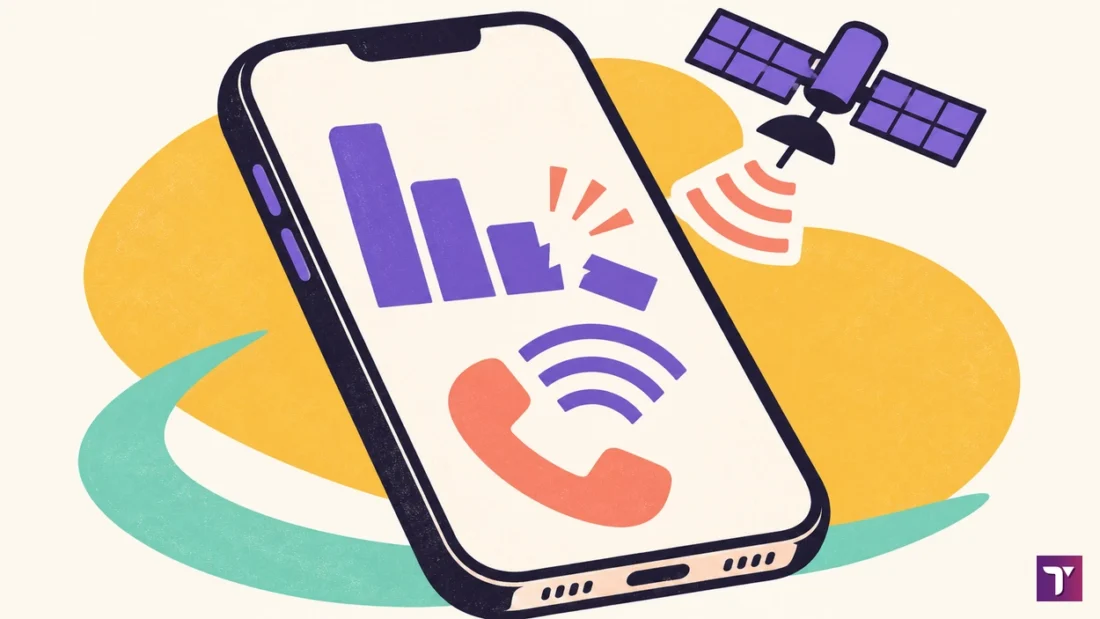
Possible causes include coverage, your carrier account or a setting. Apple suggests turning on Airplane Mode for at least 15 seconds, then turning it off. A US rule in the Code of Federal Regulations (CFR), 47 CFR 9.10(b), makes wireless providers transmit all wireless 911 calls without respect to their call validation process. According to the Federal Communications Commission (FCC), its basic 911 rules apply regardless of whether the caller subscribes to the provider’s service or not.
Key Takeaways
- SOS or SOS only means your iPhone isn’t connected to your cellular network, but you can still make emergency calls through other carrier networks, in the 3 countries Apple lists: Australia, Canada and the United States.
- Per Apple, one fix is Airplane Mode on for at least 15 seconds, then off, then a restart.
- Emergency SOS via satellite is available in 21 countries on an iPhone 14 or later.
- Emergency SOS via satellite is free for 2 years after the activation of an iPhone 14 or later.
- Messages via satellite works in 4 countries (the United States, Canada, Mexico and Japan), and Apple says it shouldn’t be used in emergencies.
What does SOS mean on iPhone?
According to Apple Support, SOS only means full service from your cellular provider isn’t available, but emergency calls may be possible through other carrier networks. Per Apple’s support page, the feature is available in Australia, Canada and the United States, 3 countries in total.
When your carrier’s cellular network is unavailable, iPhone displays the SOS only icon and attempts to route any emergency calls through other networks, if available. SOS describes a network state, so look at coverage, your account and your settings before suspecting the hardware.
Apple’s support page says you can still make emergency calls, while its status icon guide says such calls may be possible. The second wording is the safer one to plan around, because the call still needs another carrier’s network in range.
What does the SOS acronym mean on an iPhone?
On an iPhone, SOS works as a label for emergency access. Apple’s status icon guide uses SOS only for a phone without full service from its cellular provider. Apple also lets you type “SOS,” “help” or “send help” in the address field of a new message to text emergency services via satellite.

Why can an iPhone on SOS still call 911?
Under 47 CFR 9.10(b), wireless providers must transmit all wireless 911 calls without respect to their call validation process. The FCC puts it plainly: its basic 911 rules apply regardless of whether the caller subscribes to the provider’s service or not. Your own carrier plan is not part of that test.
On the phone side, iPhone attempts to route any emergency calls through other networks, if available. The two pieces fit together: the phone looks for any tower in range, and the rule tells that tower’s carrier to put a 911 call through.
Keep the scope in mind. Apple offers the SOS label in 3 countries, and 47 CFR 9.10(b) is US law, so it explains only the US case.
Why it matters: The FCC’s basic 911 rules require wireless service providers to transmit all 911 calls regardless of whether the caller subscribes to the provider’s service or not. An SOS label in the US marks a phone that has lost its own carrier, while the emergency route may still be open through another network.
SOS, SOS Only, Satellite and SAT: What Each Status Means
Apple’s status icon guide says the Satellite icon means Emergency SOS, Find My, Roadside Assistance and Messages via satellite are available in your location, supported on iPhone 14 and later. SAT appears when your iPhone is using a carrier-provided satellite feature, which needs an iPhone 13 and later and a supported carrier.
Label | What Apple says it means | Where or on which iPhone |
|---|---|---|
SOS or SOS only (status bar) | Not connected to your cellular network; emergency calls may be possible through other carrier networks | Australia, Canada and the United States |
Satellite icon (status bar) | Emergency SOS, Find My, Roadside Assistance and Messages via satellite are available in your location | iPhone 14 and later |
SAT (status bar) | Your device is using a carrier-provided satellite feature | iPhone 13 and later, with the latest iOS and a supported carrier (some carriers might also require a supported cellular plan) |
Emergency SOS (button shortcut) | Press and hold the side button and either volume button | All countries or regions except India; Call with 5 Presses is under Settings > Emergency SOS |
Source: Apple iPhone User Guide, Apple Support, November 2026
The country lists behind these labels differ in size. Emergency SOS via satellite has the longest list, at 21 countries.
View the data
How do I turn off the satellite icon on my iPhone?
The Satellite icon shows that Apple’s satellite features are available in your location. If you have cellular or Wi-Fi coverage, the Satellite option in Settings won’t appear, and the Satellite option in Control Center opens the Satellite Connection Demo instead. Getting cellular or Wi-Fi back is the practical way to clear it.
What still works when your iPhone says SOS?
Apple says that if you turn on Wi-Fi Calling and cellular service isn’t available, emergency calls might use Wi-Fi Calling. Off the grid, Emergency SOS via satellite covers 21 countries and Messages via satellite covers 4, each with its own rules.
If Wi-Fi Calling is available, you’ll see “Wi-Fi” in the status bar while viewing Control Center, and your calls will use Wi-Fi Calling. If you call or text emergency services but can’t connect because you’re off the grid, your iPhone tries to connect you via satellite. To connect to a satellite, you need to be outside with a clear view of the sky and horizon.
Call before you text: Apple’s order is to try calling the local emergency number first: Even if your normal cellular carrier network isn’t available, you might be able to make the call. If your call won’t connect, you can text emergency services via satellite.
Apple’s 21 satellite countries split across six minimum iOS versions, from iOS 16.1 for the US and Canada to iOS 26.4 for Andorra, Iceland and Norway. 10 of them, including Australia and New Zealand, have iOS 16.4 as their minimum.
View the data
Model matters here: Apple’s satellite features start at iPhone 14 and SAT starts at iPhone 13, so identifying your iPhone model settles which list applies to you.
Worth noting: Messages via satellite reaches 4 countries: the United States, Canada, Mexico and Japan. Apple says Messages via satellite shouldn’t be used in emergencies. Emergency SOS via satellite can help you connect with public emergency services under exceptional circumstances when no other means are available.
Can you receive texts if your phone is on SOS?
In some cases, yes, through Apple’s satellite route. Starting in iOS 18, Messages via satellite lets you send and receive texts, emojis and Tapbacks over iMessage and SMS with no cellular and Wi-Fi coverage. It is available in the United States, Canada, Mexico and Japan, and you need to be outside with a clear view of the sky.
Why does my iPhone say SOS?
When your iPhone says SOS, the carrier side is one place to look. Apple says issues with your carrier or account might affect your service, and its support page lists 4 checks to make with your carrier. Settings matter too: if you insert a new SIM card, you need to download the carrier settings for your new carrier.
- Verify that your account is active and in good standing.
- Make sure that you’re in an area with cellular network coverage and there are no outages in your area.
- Check that your device isn’t blocked or barred from receiving cellular services and is set up with the right data plan.
- For a phone bought abroad, International Mobile Equipment Identity (IMEI) registration can matter: Ask if your local government requires IMEI registration to use an iPhone that you originally purchased outside your country or region.
If people calling you report a number no longer in service message, raise that with your carrier as well. If your SIM card is damaged, doesn’t fit in the SIM tray, or came from another device, Apple says to ask your carrier for a new SIM card.
If you plan to use a SIM from a different carrier, check whether your phone is carrier unlocked before you switch. If you’re traveling internationally, Apple says to make sure that your device is set up for data roaming.
How to Get Your iPhone Out of SOS Mode
Apple suggests turning on Airplane Mode for at least 15 seconds, turning it off, then restarting your device. If your cellular network is available, you might be able to reconnect by turning Airplane Mode on and off. If SOS stays, work down this list one step at a time.
- Open the Settings app, turn on Airplane Mode for at least 15 seconds, then turn it off.
- Restart your device.
- Connect to Wi-Fi, open Settings, tap General, then tap About; if an update is available, you’ll see an option to update your carrier settings.
- On a Dual SIM iPhone, open Settings, tap Cellular, tap the line, and tap Turn On This Line if it is off.
- With a physical SIM card, remove the SIM card and put it back in.
- When traveling, open Settings, tap Cellular, turn on Cellular Data, tap Cellular Data Options, then turn on Data Roaming.
- In the Settings app, tap General, tap Transfer or Reset iPhone, then tap Reset and choose Reset Network Settings.
- Contact your carrier, because only your wireless carrier can access and manage details about your account.
Reset Network Settings has costs that Apple spells out. All network settings are removed, the device name resets to “iPhone,” and manually trusted certificates are changed to untrusted. Cellular data roaming may also be turned off, so check it again after the reset if you’re abroad.
Reset option | What Apple says it changes |
|---|---|
Reset Network Settings | All network settings removed; device name reset to “iPhone”; manually trusted certificates changed to untrusted; data roaming may turn off |
Reset All Settings | All settings, including network, keyboard dictionary, location and privacy settings and Apple Pay cards, removed or reset to defaults; no data or media deleted |
Erase All Content and Settings | All your content is removed |
Source: Apple iPhone User Guide, November 2026
Pick the right reset: Apple warns that if you choose the Erase All Content and Settings option, all your content is removed. Reset Network Settings is the one aimed at a network problem like SOS.
Is Emergency SOS the same as SOS in the status bar?
No. In all countries or regions except India, Emergency SOS starts when you press and hold the side button and either volume button until the sliders appear and the countdown ends. You can also turn on Call with 5 Presses under Settings > Emergency SOS.
The SOS in the status bar is different: it means your device isn’t connected to your cellular network. One is a button you press, and the other is a label your phone shows you.
Conclusion
SOS on an iPhone means your device isn’t connected to your cellular network, but you can still make emergency calls through other carrier networks, a label Apple uses in 3 countries. Treat it as a coverage, account or settings problem first, and as a hardware fault last.
Start with Airplane Mode for at least 15 seconds, then restart your device. Carrier settings, the SIM, roaming and a network reset come next, and your carrier holds the answer when none of them works.
Cite this page
Thakur, T. (2026, November 24). What Does SOS Mean on iPhone?. TechKV. https://techkv.com/sos-meaning-iphone/
Thakur, Tushar. “What Does SOS Mean on iPhone?.” TechKV, 24 Nov. 2026, https://techkv.com/sos-meaning-iphone/.
Thakur, Tushar. “What Does SOS Mean on iPhone?.” TechKV, November 24, 2026. https://techkv.com/sos-meaning-iphone/.
Source: <a href="https://techkv.com/sos-meaning-iphone/">What Does SOS Mean on iPhone?</a>, TechKV
References10 sources from 3 publishers
- If you see SOS, No Service, or Searching on your iPhone or iPad
- Use SOS to contact emergency services on your iPhone
- Learn the meaning of iPhone status icons
- Use Emergency SOS via satellite on your iPhone
- About Messages via satellite
- About carrier-provided satellite features on iPhone
- Make a call with Wi-Fi Calling
- Reset iPhone settings to their defaults
- 47 CFR 9.10 911 Service
- 911 Wireless Services



Leave a comment no comments yet